
How to Fix Orphan Pages on Your Website

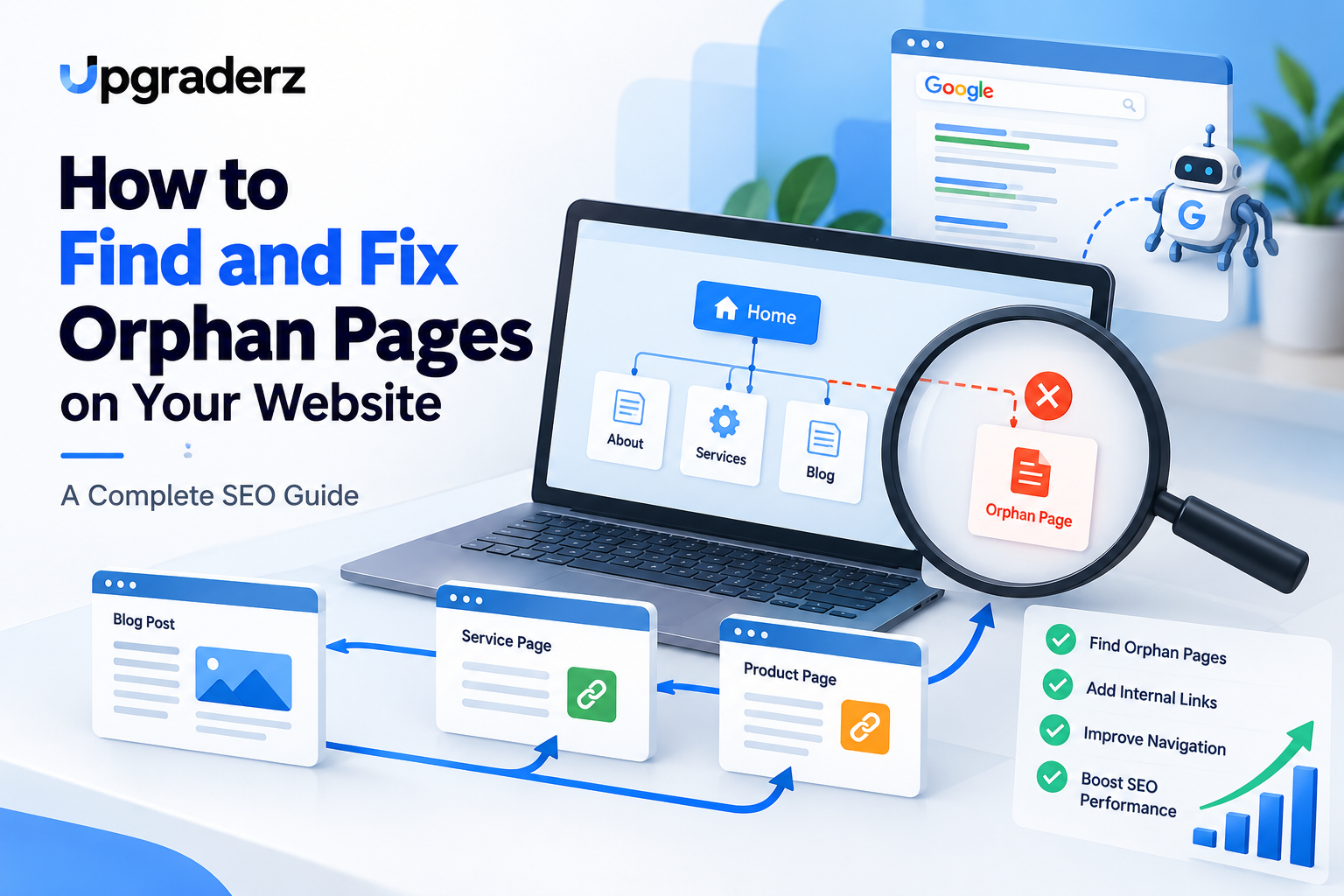
A well-structured website helps visitors and search engines discover important content. However, some website pages remain disconnected from the rest of the site because they have no internal links pointing to them. These are known as orphan pages.
Understanding How to Fix Orphan Pages is essential for improving website navigation, search engine crawling, and overall SEO performance.Orphan pages can contain valuable information, products, or services, but without proper internal linking, users may struggle to find them. Search engines may also have difficulty discovering and prioritizing these pages.
This guide explains what orphan pages are, why they matter, how to identify them, and the best practices for resolving them.
Table of Contents
What Are Orphan Pages in SEO
Orphan pages are website pages that have no incoming internal links from other pages on the same website.
For example, imagine publishing a blog article without linking to it from your homepage, blog archive, category pages, or other articles. Although the page exists and may appear in an XML sitemap, visitors cannot easily reach it through normal website navigation.
Orphan pages in SEO are important because internal links help search engines understand website structure and discover relevant content.
A page without internal links is not automatically excluded from Google, but it may receive less visibility and fewer opportunities to attract organic traffic.
Why Are Orphan Pages Bad for SEO
Understanding How to Fix Orphan Pages begins with recognizing their potential impact.
Difficult Search Engine Discovery
Search engines discover many URLs by following links. Pages without internal links may be harder to discover, particularly when they are missing from XML sitemaps.
Poor User Experience
Visitors cannot easily navigate to orphan pages from other website sections, reducing opportunities for engagement.
Weak Internal Link Equity
Internal links help distribute ranking signals throughout a website. Orphan pages miss opportunities to receive those signals from relevant pages.
Reduced Content Visibility
Important service pages, blog posts, and landing pages may receive limited exposure when disconnected from the website’s navigation structure.
How to Find Orphan Pages on Your Website
Before learning How to Fix Orphan Pages, you must identify which URLs are disconnected.
Use Google Search Console
Google Search Console provides information about indexed pages, discovered URLs, and indexing problems.
Export your website’s page data and compare it with URLs discovered through an internal-link crawl. Investigate pages that appear in Search Console but cannot be reached through website links.
Search Console alone does not provide a complete orphan-page report.
Use Screaming Frog SEO Spider
Screaming Frog is a useful tool for performing a website SEO audit.
Follow these steps:
Enter your website URL into Screaming Frog.
Crawl the website and export discovered URLs.
Compare these URLs against your XML sitemap.
For a more comprehensive audit, integrate Google Search Console and Google Analytics where supported.
Run crawl analysis and review the orphan-page reports.
The official Screaming Frog orphan-page tutorial explains this process in detail.
Check Your XML Sitemap
An XML sitemap lists important website URLs intended for search engine discovery.
Compare sitemap URLs with pages found during a normal website crawl. Pages appearing only in the sitemap may be orphaned.
However, inclusion in a sitemap does not replace a proper internal linking strategy.
How to Fix Orphan Pages: Step-by-Step Solutions
Once identified, resolving disconnected pages becomes easier.
Add Relevant Internal Links
The most effective solution is adding contextual internal links from existing, relevant pages.
For example, a technical SEO article can link to related content about website optimization, digital marketing, or SEO audits.
Businesses looking to strengthen their online visibility can explore digital marketing services in Kochi by Upgraderz for professional digital marketing support.
Improve Website Navigation
Include valuable pages in appropriate navigation menus, service categories, blog archives, or resource sections.
Avoid placing every page in the main menu. Instead, create a logical hierarchy that makes important content accessible.
Fix Orphan Pages in WordPress
Knowing How to Fix Orphan Pages in WordPress helps website owners maintain better content organization.
Review published posts and pages, check categories, and add relevant links using the WordPress editor.
SEO plugins such as Rank Math can assist with internal-link management, but a complete orphan-page audit may require additional crawling tools.
Merge Duplicate Content
Some orphan pages contain outdated or substantially duplicated information.
Combine useful content into a stronger relevant page, then apply a permanent 301 redirect when appropriate.
Remove Unnecessary Pages
Delete pages that have no remaining purpose, traffic value, or useful content.
Use a relevant redirect when replacement content exists. Otherwise, return an appropriate 404 or 410 response rather than redirecting everything to the homepage.
Orphan Pages and Internal Linking: Best Practices
A successful internal linking strategy supports both visitors and search engines.
Use descriptive anchor text, connect related articles, maintain organized categories, and regularly review important landing pages.
Google’s official link best practices explain how crawlable links and meaningful anchor text help search engines discover and understand website content.
How to Prevent Orphan Pages
Prevention is an essential part of understanding How to Fix Orphan Pages permanently.
Before publishing new content, ensure it is linked from at least one relevant, discoverable page.
Maintain updated XML sitemaps, review website navigation after redesigns, and conduct periodic internal-link audits.
Pay particular attention to older blogs, discontinued products, seasonal landing pages, and pages affected by website migrations.
Understanding How to Fix Orphan Pages is an important part of maintaining a search-friendly website.
By identifying disconnected URLs, improving navigation, strengthening internal links, and removing unnecessary content, businesses can create a more organized website that supports discoverability and user experience.
Regular technical SEO audits help prevent these problems from returning and keep important content accessible.

Rinu Ann George
Rinu Ann George is an SEO Analyst at Upgraderz, specializing in search engine optimization, content strategy, and digital visibility.